Recent POST





eLearning Platform Recommendation Engine
Analyzing your needs...
Fill in the details on the left to get a personalized recommendation.
Imagine you are sitting in a quiet cafe in Wellington, laptop open, and you just finished a certification course on data analysis. You didn't fly to a classroom; you didn't sit in a lecture hall. You learned from your device, at your own pace, using a system designed specifically to deliver that knowledge. That system is what we call an eLearning platform is a digital environment that hosts, delivers, and manages educational content, allowing learners to access courses, track progress, and interact with instructors remotely.
It sounds simple, but the machinery behind it is complex. An eLearning platform isn't just a website with videos. It is a robust ecosystem that combines content management, user tracking, assessment tools, and communication channels. Whether you are a corporate HR manager trying to train 500 employees or a student looking for flexible study options, understanding how these platforms work helps you choose the right tool for your needs.
The Core Components of an eLearning System
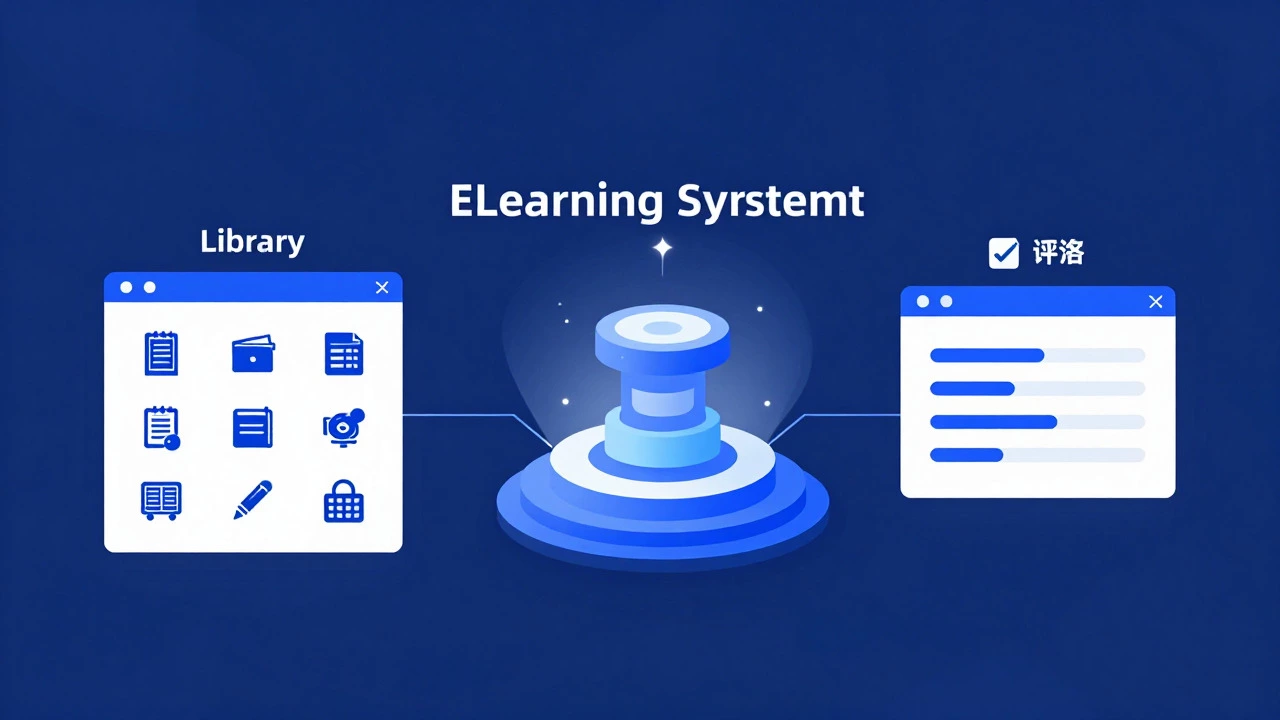
To understand what makes a platform "eLearning" rather than just a video site, you need to look at its core architecture. Most modern systems rely on three main pillars: Content Management, Learning Management, and Assessment.
- Content Management: This is where the actual lessons live. It includes text, videos, podcasts, interactive simulations, and PDFs. The platform organizes this into modules or units so learners can navigate easily.
- Learning Management System (LMS): Think of the LMS as the engine room. It handles user accounts, assigns courses, tracks who has completed which module, and sends reminders. For example, if you start a course and don't finish it within a week, the LMS might send an email nudge.
- Assessment Tools: Learning isn't complete without testing. Platforms include quizzes, final exams, peer reviews, and even AI-driven adaptive tests that adjust difficulty based on your performance.
These components work together seamlessly. When you click "Start Lesson," the Content Management system loads the material, the LMS logs your activity, and after the lesson, the Assessment tool presents a quiz. This integration is what distinguishes a professional eLearning platform from a simple YouTube channel.
How Technology Powers Modern Learning
You might wonder how these platforms handle thousands of users simultaneously without lagging. The answer lies in cloud computing and specific software standards. Most major eLearning providers use cloud-based infrastructure, meaning the servers are hosted remotely and accessible via the internet. This allows scalability; when enrollment spikes during a popular course launch, the system can automatically allocate more resources.
A critical standard here is SCORM (Shareable Content Object Reference Model). If you have ever downloaded a course package from an author, it likely came in a .zip file containing SCORM data. This standard ensures that content created by one vendor works smoothly on another vendor's LMS. Without SCORM, every course would need to be manually re-coded for each platform, which is inefficient and error-prone.
Additionally, modern platforms increasingly integrate Artificial Intelligence (AI) for personalization. AI algorithms analyze your learning behavior-where you pause videos, which questions you get wrong-and suggest tailored paths. For instance, if you struggle with calculus concepts, the AI might recommend supplementary reading before moving to the next chapter.
Choosing the Right Platform: Key Criteria
With hundreds of options available, how do you pick the right one? It depends entirely on your goal. Are you a business owner looking to upskill your team, or an individual seeking academic credentials? The criteria differ significantly.
| Platform Type | Primary User | Key Feature | Cost Structure |
|---|---|---|---|
| Corporate LMS | HR Managers / Trainers | Compliance tracking, bulk user import | Per-user monthly fee |
| MOOC Provider | Individual Learners | Certificate of completion, community forums | Free or per-course fee |
| SaaS Authoring Tool | Course Creators | Drag-and-drop design, SCORM export | Subscription based |
If you are running a small business, you probably don't need enterprise-grade features like single sign-on (SSO) integration with complex IT security protocols. Instead, look for ease of use and mobile compatibility. Your employees will likely access training on their phones during lunch breaks. A platform that doesn't render well on mobile screens will lead to low completion rates.
For individual learners, cost and accreditation matter most. Check if the certificates are recognized by employers. Some platforms offer badges that can be added directly to LinkedIn profiles, which adds tangible value to your career portfolio.

Common Pitfalls to Avoid
Even with the best technology, eLearning can fail if implemented poorly. Here are the most common mistakes I see:
- Ignoring Engagement: Long, unbroken video lectures cause drop-off. Best practice suggests breaking content into chunks of 5-10 minutes, interspersed with interactive elements.
- Poor Mobile Optimization: Over 60% of online learning happens on mobile devices. If your platform requires zooming in to read text, learners will quit.
- Lack of Social Features: Isolation is a major barrier. Platforms that include discussion boards, peer feedback, or live Q&A sessions see higher retention rates because they mimic the social aspect of traditional classrooms.
Another subtle issue is technical debt. If you build custom integrations without following standard APIs, you may find yourself stuck with a platform that is difficult to update or migrate away from later. Always prioritize platforms with open APIs and strong documentation.
The Future of Digital Education
Where is this heading? By 2026, we are seeing a shift towards immersive learning. Virtual Reality (VR) and Augmented Reality (AR) are no longer just buzzwords. Medical students can now practice surgeries in VR environments, and engineering students can assemble virtual machines. These experiences reduce the risk of real-world errors while providing hands-on practice.
Furthermore, microlearning is gaining traction. Instead of hour-long courses, learners prefer bite-sized lessons that fit into their daily routines. This aligns with the busy lifestyles of modern professionals. The trend suggests that future platforms will focus less on comprehensive textbooks and more on just-in-time knowledge delivery.
As you explore your options, remember that the technology is only as good as the content and the strategy behind it. A fancy interface won't save a poorly written course. Focus on clear learning objectives, engaging materials, and a user-friendly experience. That combination is what truly defines a successful eLearning platform.
What is the difference between an LMS and an eLearning platform?
An LMS (Learning Management System) is the backend software that manages users, courses, and tracking. An eLearning platform is the broader user-facing environment that includes the LMS plus content delivery, design tools, and often marketing features. Essentially, the LMS is the engine, while the eLearning platform is the entire car.
Do eLearning platforms require high-speed internet?
While high-speed internet provides the best experience for streaming video, many modern platforms allow offline downloads. This means you can download lessons to your device and view them without a connection, syncing your progress once you are back online. This feature is crucial for learners in areas with unstable connectivity.
Are eLearning certificates recognized by employers?
Recognition varies by industry and provider. Certificates from reputable universities or major corporations (like Google or Microsoft) are widely accepted. However, for niche skills, employers often value the demonstrated competency over the certificate itself. Always check the accreditation status of the issuing body before enrolling.
Can I create my own courses on an eLearning platform?
Yes, many platforms offer authoring tools that allow non-technical users to create courses using drag-and-drop interfaces. You can upload videos, write text, and add quizzes without knowing any coding. Some platforms also support importing SCORM packages if you use specialized authoring software.
What is SCORM and why does it matter?
SCORM stands for Shareable Content Object Reference Model. It is a technical standard that allows eLearning content to communicate with an LMS. It matters because it ensures interoperability; a course built with SCORM can be uploaded to almost any compliant LMS without modification, saving time and money.