Recent POST




Digital Platform vs. Simple App Analyzer
Select the features your digital tool supports to see if it functions as a true educational platform.
Centralized Hub
Single source of truth for announcements and assignments.Collaborative Tools
Real-time co-editing and automatic permission management.Assessment Engine
Integrated grading, rubrics, and auto-grading capabilities.Communication Layer
Asynchronous dialogue, comments, and feedback loops.Interoperability
APIs, third-party integrations, and ecosystem connectivity.Platform Maturity Score
You’ve probably heard the term digital platform thrown around in meetings, tech blogs, and school board discussions. It sounds fancy, right? But when it comes to tools like Google Classroom, the label gets muddy fast. Is it just another app on your phone? Or is it a full-blown infrastructure for modern education?
The short answer is yes. Google Classroom is absolutely a digital platform. But that’s only the beginning of the story. To really understand why it matters, we need to peel back the layers. We aren’t just talking about uploading PDFs anymore. We’re looking at an ecosystem that connects students, teachers, and content in real-time.
Defining the Digital Platform
Before we pin labels on Google Classroom, let’s get clear on what a "digital platform" actually means. In the tech world, a platform isn’t just software you install. It’s a foundation. Think of it like a stage. The stage itself doesn’t put on the play, but it supports the actors, the props, the lighting, and the audience interaction all at once.
A true digital platform facilitates interactions between different groups of users. It usually has three key components:
- Infrastructure: The backend technology that keeps data safe and accessible.
- Interactivity: Ways for users to communicate and collaborate.
- Ecosystem Integration: The ability to connect with other tools and services.
If a tool only lets you store files, it’s storage. If it lets you edit documents, it’s productivity software. But if it brings people together to create, share, and learn within a structured environment, it’s a platform. By this definition, Google Classroom fits the bill perfectly.
How Google Classroom Functions as a Platform
Let’s look at how Google Classroom operates under the hood. It wasn’t built in isolation. It sits squarely within the Google Workspace for Education ecosystem, which includes Gmail, Drive, Docs, and Meet. This integration is what elevates it from a simple notification app to a robust Learning Management System (LMS).
When a teacher creates an assignment in Classroom, they aren’t just sending an email. They are triggering a workflow. The system automatically copies materials into each student’s Drive, tracks submission status, allows for inline commenting, and integrates grading rubrics. All of this happens without the user leaving the interface.
This seamless flow is the hallmark of a platform. It reduces friction. Teachers don’t have to switch between five different tabs to manage their class. Students don’t have to guess where to submit work. The platform orchestrates the entire educational transaction.
The Core Components of the Classroom Ecosystem
To see the platform nature clearly, break down its core functions. Each of these pillars supports the others, creating a cohesive experience.
- Centralized Hub: The stream acts as a timeline for all class activity. Announcements, assignments, and resources appear in chronological order. This creates a single source of truth for the class.
- Collaborative Tools: Because it links directly to Google Docs and Slides, multiple students can work on the same document simultaneously. The platform manages permissions automatically, so no one accidentally edits someone else’s work.
- Assessment Engine: Teachers can create quizzes using Google Forms. These forms auto-grade multiple-choice questions and provide immediate feedback. The results feed directly back into the Classroom gradebook.
- Communication Layer: Comments on assignments allow for private or public dialogue. This mimics the raise-hand-and-ask-question dynamic of a physical classroom, but asynchronously.
Each component relies on the others. Without the centralized hub, the collaboration would be chaotic. Without the assessment engine, the teaching loop remains incomplete. Together, they form a complete digital environment.
Comparison: Standalone Apps vs. Integrated Platforms
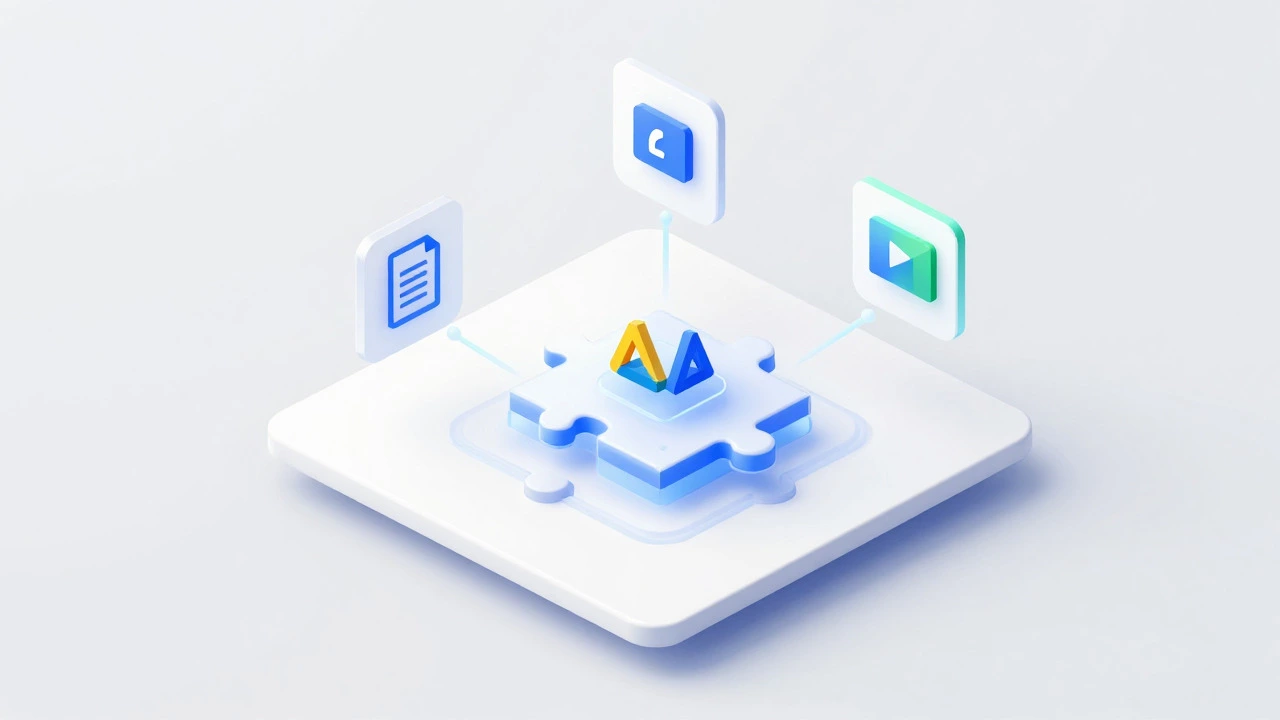
It helps to compare Google Classroom with tools that are *not* platforms. Take a standard email client. You can send attachments via email. You can even ask students to reply with their homework. But email lacks structure. There’s no gradebook. There’s no automatic organization by class period. There’s no way to track who hasn’t submitted yet without manually checking every inbox.
Now consider a dedicated project management tool like Trello. It’s great for organizing tasks. But it wasn’t built for education. It lacks features like roster syncing, parent access, or academic calendar integration. You could force it to work for a class, but you’d be fighting against the grain.
| Feature | Standard Email | Project Tool (e.g., Trello) | Google Classroom |
|---|---|---|---|
| Roster Management | No | Manual | Automatic Sync |
| Assignment Tracking | None | Basic Status | Detailed Analytics |
| Integrated Grading | No | No | Yes (Gradebook) |
| File Collaboration | Via Attachments | Limited | Real-time Co-editing |
| Parent Access | No | No | Guardian Summaries |
This table highlights why Google Classroom stands apart. It isn’t just a container for files; it’s a manager of relationships and workflows. That distinction is crucial for anyone evaluating digital tools for education.
The Role of Interoperability
A major sign of a mature digital platform is interoperability-the ability to talk to other systems. Google Classroom doesn’t live in a vacuum. It uses APIs (Application Programming Interfaces) to connect with thousands of third-party educational apps.
Imagine a science teacher who wants to use a virtual lab simulation. Instead of building that simulation from scratch, they click a button in Classroom to launch the external tool. When the student finishes the lab, the score sends back to Classroom automatically. This is powered by standards like LTI (Learning Tools Interoperability).
This extensibility means schools can customize their digital environment. A history department might integrate archival databases, while a math department might plug in adaptive tutoring software. The platform serves as the anchor, holding these diverse tools together in one consistent interface.
Challenges and Limitations
Calling something a platform doesn’t mean it’s perfect. Google Classroom has faced criticism over the years, and acknowledging these limits gives us a more honest picture.
One common complaint is the lack of advanced customization. Unlike open-source LMS options like Moodle, Classroom has a rigid structure. You can’t easily change the layout or add complex conditional logic to assignments. For power users who want total control, this can feel restrictive.
Data privacy is another concern. While Google complies with FERPA and COPPA regulations, some districts worry about data residency and usage policies. Since the platform is cloud-based, everything lives on Google’s servers. Schools must trust Google’s security protocols implicitly.
Additionally, the reliance on internet connectivity can be a barrier. In areas with poor broadband access, the real-time collaboration features become frustrating rather than helpful. A platform is only as strong as its weakest connection.

Why the Label Matters
So, why does it matter whether we call Google Classroom a digital platform? Terminology shapes expectations. If you view it as just an app, you’ll likely underutilize it. You might use it solely for posting announcements, missing out on the powerful grading and collaboration features.
Recognizing it as a platform encourages deeper integration. It prompts educators to think about workflows. How can I streamline my grading? How can I foster peer review? How can I bring in external experts? Viewing the tool through a platform lens unlocks its full potential.
For administrators, it informs procurement decisions. Investing in a platform means investing in an ecosystem. It suggests long-term viability and scalability. It also implies training needs. Teachers need professional development not just on how to click buttons, but on how to design pedagogical experiences within the platform’s constraints.
The Future of Educational Platforms
As we move further into the decade, the line between social media, productivity suites, and learning platforms continues to blur. AI-driven personalization is becoming a standard feature. Imagine a version of Classroom that automatically adjusts assignment difficulty based on a student’s past performance, or generates study guides tailored to individual knowledge gaps.
We’re also seeing a shift toward hybrid learning models. The platform must support both face-to-face and remote instruction seamlessly. This requires robust video integration, offline capabilities, and flexible scheduling tools. Google Classroom is evolving to meet these demands, adding features like enhanced Meet integration and improved mobile accessibility.
The concept of a digital platform in education is no longer optional. It’s the baseline. As technology advances, the platforms that succeed will be those that prioritize human connection over mere automation. They will facilitate mentorship, creativity, and critical thinking, not just content delivery.
Conclusion
Google Classroom is undeniably a digital platform. It provides the infrastructure, interactivity, and ecosystem integration necessary to support modern teaching and learning. While it has limitations, its strengths in usability, collaboration, and interoperability make it a dominant force in the e-learning landscape.
Understanding this classification helps educators and administrators leverage the tool more effectively. It shifts the focus from simple task completion to holistic learning design. Whether you’re a teacher planning next week’s lesson or an IT director evaluating district-wide solutions, recognizing the platform nature of Google Classroom is the first step toward unlocking its value.
Is Google Classroom considered an LMS?
Yes, Google Classroom is widely classified as a Learning Management System (LMS). It handles core LMS functions such as course creation, assignment distribution, grading, and communication. However, it is often described as a "lightweight" LMS compared to enterprise-level systems like Canvas or Blackboard, due to its simplified interface and tighter integration with consumer-grade Google tools.
What makes a tool a "digital platform" versus just an app?
The key difference lies in interaction and ecosystem. An app typically performs a specific function for a single user (like a calculator or a note-taking app). A digital platform facilitates interactions between multiple groups of users (teachers, students, parents) and often allows for third-party integrations. It serves as a foundational layer upon which other activities and tools are built.
Can Google Classroom work without an internet connection?
Limited functionality is available offline. Users can view previously loaded assignments and draft comments. If using Google Docs or Slides linked within Classroom, offline editing is possible if the files were opened and synced beforehand. However, submitting assignments, posting new announcements, or accessing real-time collaboration features requires an active internet connection.
How does Google Classroom protect student data?
Google Classroom complies with major privacy regulations including FERPA (Family Educational Rights and Privacy Act) and COPPA (Children's Online Privacy Protection Act). Data is encrypted in transit and at rest. Google states that it does not sell student data to advertisers. Schools using Google Workspace for Education retain ownership of their data and can export or delete it as needed.
What are the main alternatives to Google Classroom?
Popular alternatives include Microsoft Teams for Education (which integrates with Office 365), Canvas (a robust, customizable LMS), Schoology, and Blackboard. The best choice depends on the institution's existing tech stack, budget, and specific pedagogical needs. Microsoft Teams is often preferred by schools already invested in the Microsoft ecosystem, while Canvas is favored for its deep customization options.